Why a Sitemap Matters
A sitemap is like a blueprint for your website an XML file that lists your site’s most important pages, so search engines like Google and Bing can find, crawl, and index them more efficiently.
Without a sitemap, search engines rely only on links to discover your pages. With a sitemap, you give them a direct map making sure your latest content doesn’t get missed.
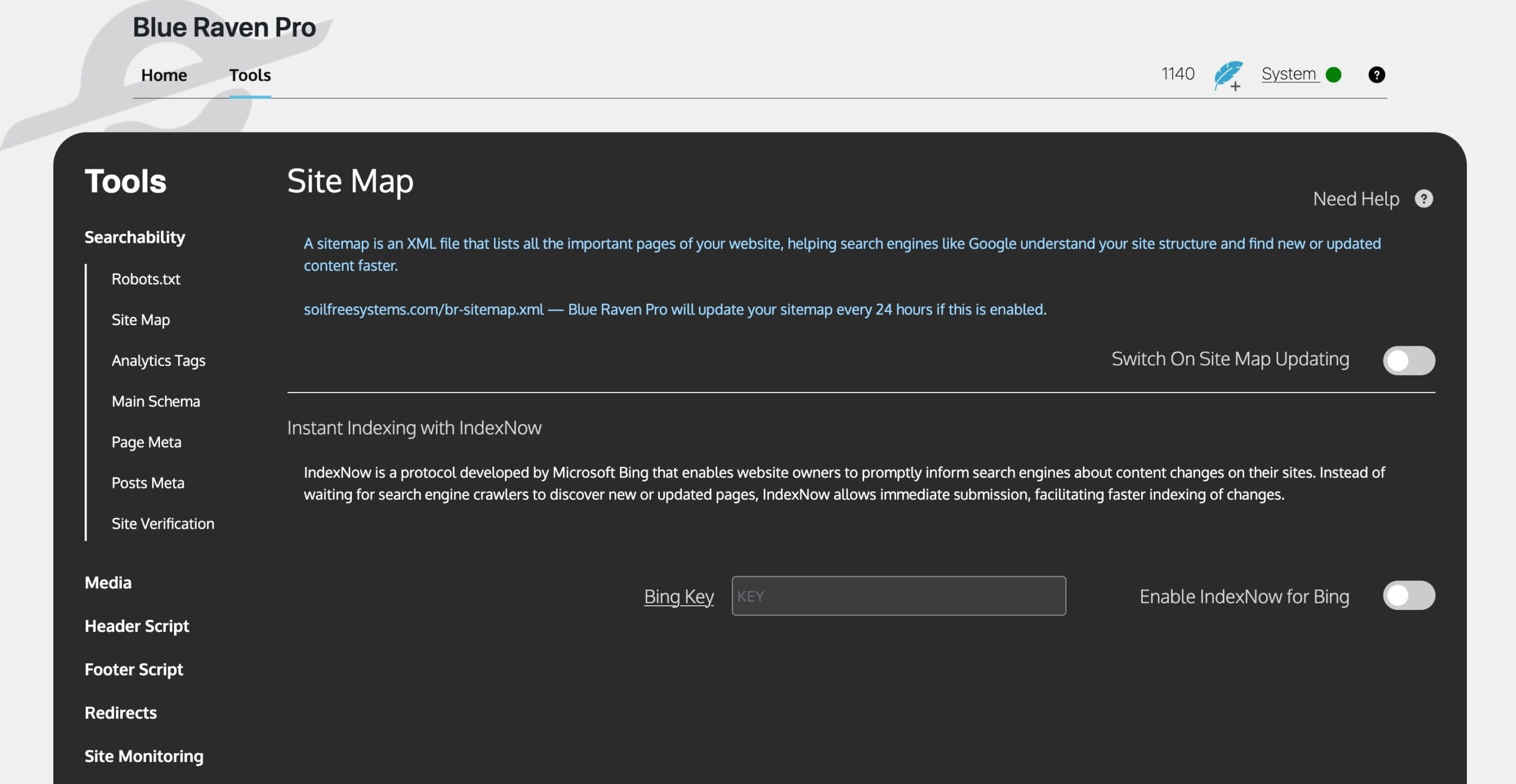
Where to Find It in Blue Raven
- In your WordPress admin, go to Blue Raven → Tools
- Then navigate to Searchability → Sitemap
What Blue Raven Does
When you enable Sitemap updates in Blue Raven, the plugin:
- ✅ Generates an XML sitemap automatically
- ✅ Updates it every 24 hours to include your latest content
- ✅ Supports image inclusion for better visual indexing
- ✅ Will soon include taxonomies, content types like posts and products, and more
Once enabled, your sitemap will usually be available at: yourdomain.com/sitemap.xml
Tip: Submit your sitemap URL to Google Search Console and Bing Webmaster Tools for faster indexing.
Enabling Sitemap Updates
- In the Sitemap section, find the “Enable Sitemap Updates” toggle
- Slide it to the ON position
- That’s it Blue Raven handles the rest, regenerating your sitemap every 24 hours
Speed Things Up with IndexNow
IndexNow is a relatively new protocol developed by Microsoft Bing, with support expanding to other search engines.
Instead of waiting days or weeks for bots to crawl your site, IndexNow lets you notify search engines immediatelywhen you:
- Publish new content
- Update existing pages
- Delete outdated URLs
Blue Raven integrates directly with IndexNow for near-instant indexing.
How to Enable IndexNow in Blue Raven
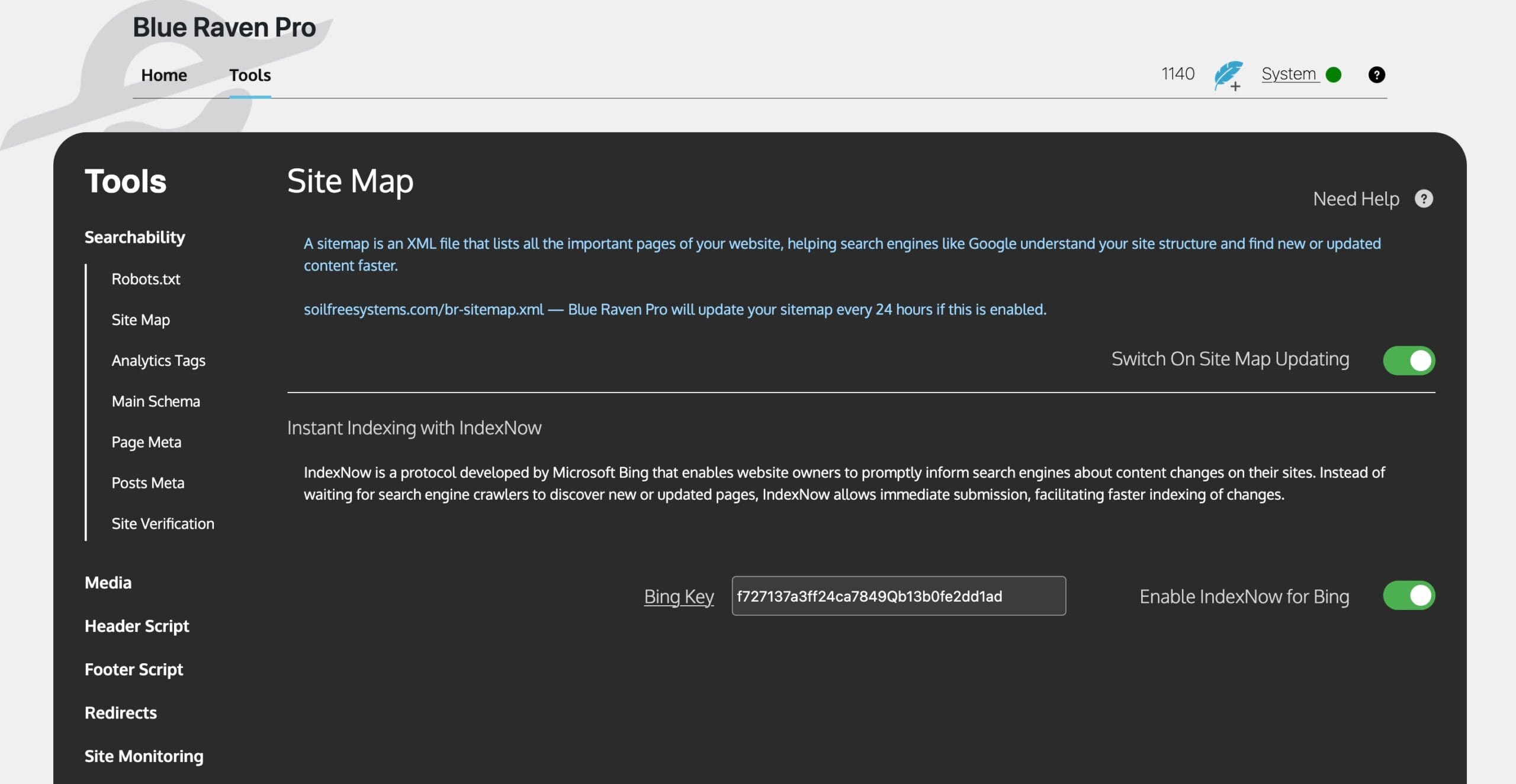
- In the Sitemap section, find the IndexNow option
- Paste in your IndexNow API key from Bing Webmaster Tools
- Toggle “Enable IndexNow for Bing” to the ON position
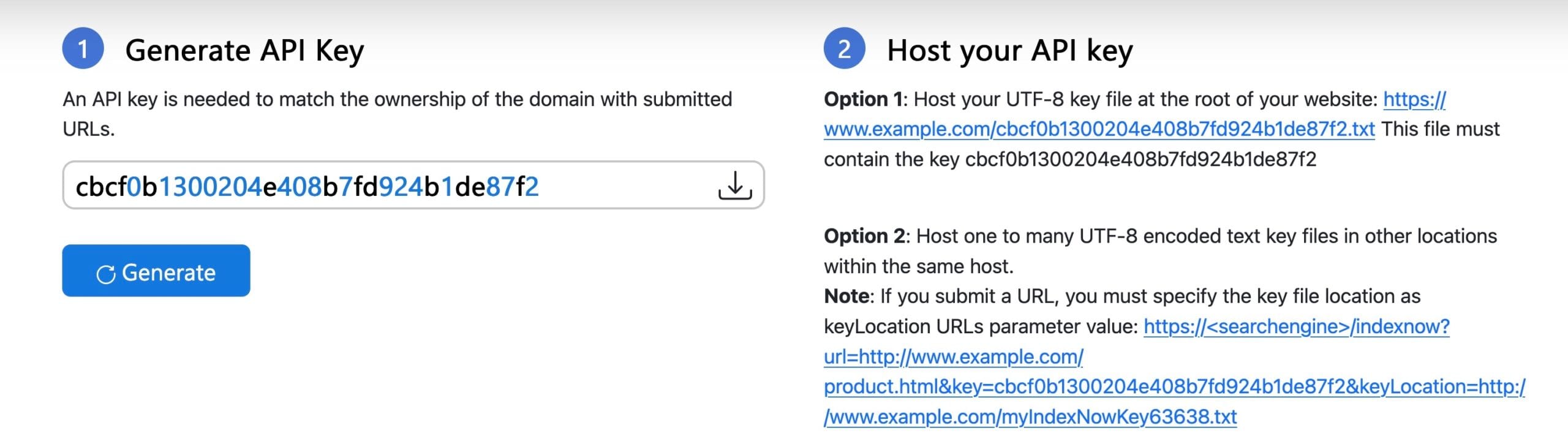
You will need to generate your API key, you can go here https://www.bing.com/indexnow/getstarted#implementation.
Want easier tracking? Blue Raven also supports Analytics Tags – a simple way to add tracking scripts like Google Analytics or Facebook Pixel without editing theme files. Just paste your code and toggle it on. (We cover this in the Analytics Tags section of the plugin.)
Why The Daily Indexing Might Not Be Working
If your WordPress daily tasks, like indexing, aren’t running, it could be because WP-Cron is disabled in your site. This happens when your wp-config.php has:
define( 'DISABLE_WP_CRON', true );When this is set, WordPress won’t automatically run scheduled tasks.
How to fix it:
Set DISABLE_WP_CRON to FALSE
define( 'DISABLE_WP_CRON', false );What this does:
- WordPress will go back to running its “pseudo-cron” on every page load.
- This is fine for small sites with regular traffic.
- On very busy sites, it can slow down page loads because WP runs tasks during visits.
- On very low-traffic sites, scheduled tasks might run late because no one is visiting.
💡 This is a temporary solution. There are some risks involved. We’ll provide more details soon, including how Blue Raven will address this in future updates.