Edit your Brandability
Before you can create products using Blue Raven Product Creation Tool, you’ll be guided through a one-time setup process called Brand Options — we call this Brandability. This step aims to ensure that every product you generate maintains a consistent style and message aligned with your brand identity, to the best of its ability.
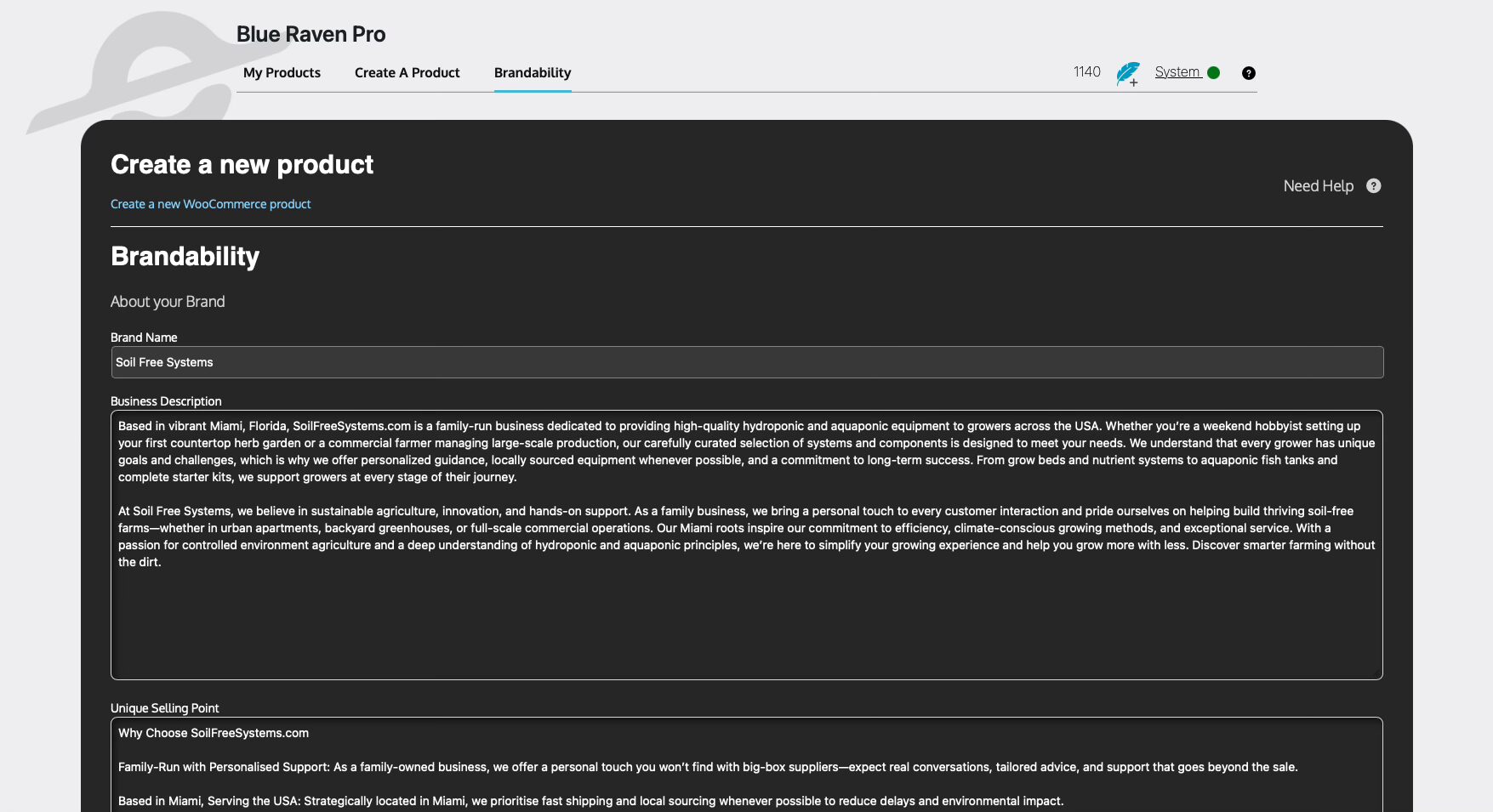
Brandability Fields Explained
Below are the fields you’ll be asked to fill out. This information forms the basis of how Blue Raven writes your product descriptions:
- About Your Brand
Share your brand’s story, mission, or unique context. - Brand Name
Your official business or brand name. - Business Description
A short summary of what your business does and the value it provides. - Unique Selling Point
What sets your business apart from competitors? Why should a customer buy from you? - Extras About Your Brand
Anything else worth mentioning — awards, years in business, sustainability efforts, etc. - Products or Services
A general overview of what you sell or offer. - Target Audience
Describe your ideal customers (e.g., home gardeners, small businesses, tech enthusiasts, etc.). - Business Category
Choose a relevant industry or category (e.g., Home & Garden, Electronics, Fashion, etc.). - Bullet Points
Choose Something that can be used as a Bullet Point (e.g., – , • , 💡 etc.).
Template Information
This section helps define the structure Blue Raven will follow when generating product content. Think of it as your go-to layout guide.
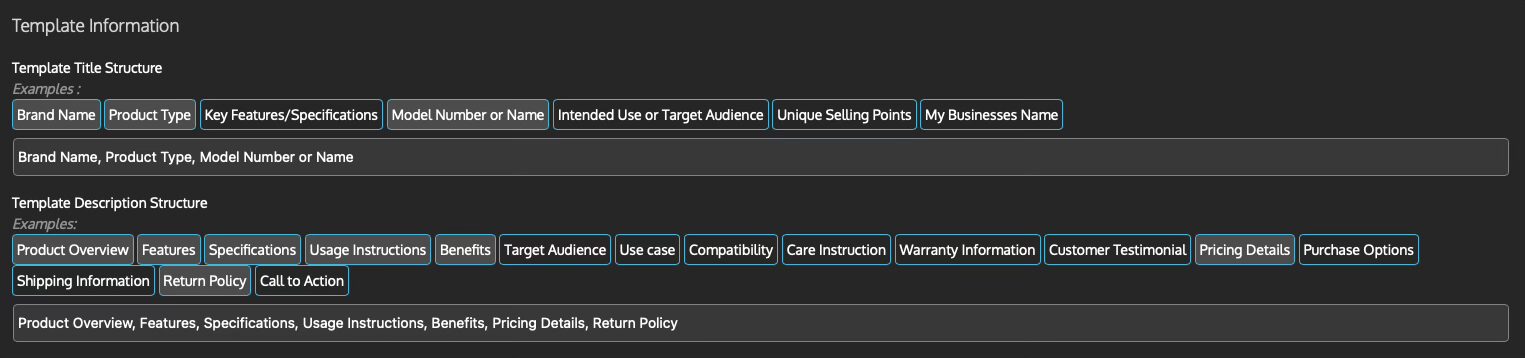
Template Title Structure
Suggested elements you might include in your product titles:
- Brand Name
- Product Type
- Key Features or Specs
- Model Number
- Intended Use or Audience
- Unique Selling Points
- Business Name (optional)
Template Description Structure
This helps Blue Raven shape a compelling, SEO-optimised product description. Possible components include:
- Product Overview
- Features
- Specifications
- Usage Instructions
- Benefits
- Target Audience
- Use Case
- Compatibility
- Care Instructions
- Warranty Info
- Customer Testimonial
- Pricing Details
- Purchase Options
- Shipping Information
- Return Policy
- Call to Action
Note:
These are example and default points. You’re free to add anything more specific to your brand to the templates.
Once you’ve completed the Brand Options setup, there’s no need to reconfigure it unless your brand changes. All future product generations will inherit this voice and structure automatically.