Site Monitoring (Enterramon) – Blue Raven Knowledge Base
Site Monitoring (Enterramon) is a Pro only feature that gives you real-time visibility into your website’s health including uptime, performance, plugin versions, SSL status, and domain expiration. It helps you catch problems before your visitors do.
✅ Available only in Blue Raven Pro
❌ Not available in the free version
💡 No feathers are used this is a standard Pro feature
How to Access Site Monitoring
You can reach Site Monitoring in two ways:
- From WordPress:
Go to Blue Raven > Tools > Site Monitoring. This will redirect you to the Enterrahost portal. - Directly:
Visit https://portal.enterrahost.com and log in with your Blue Raven Pro account.
Once logged in:
- Click Site Monitoring in the left sidebar
- Select your domain from the “Select Domain” dropdown
What You’ll See
After selecting a domain, you’ll see a dashboard with the following sections:
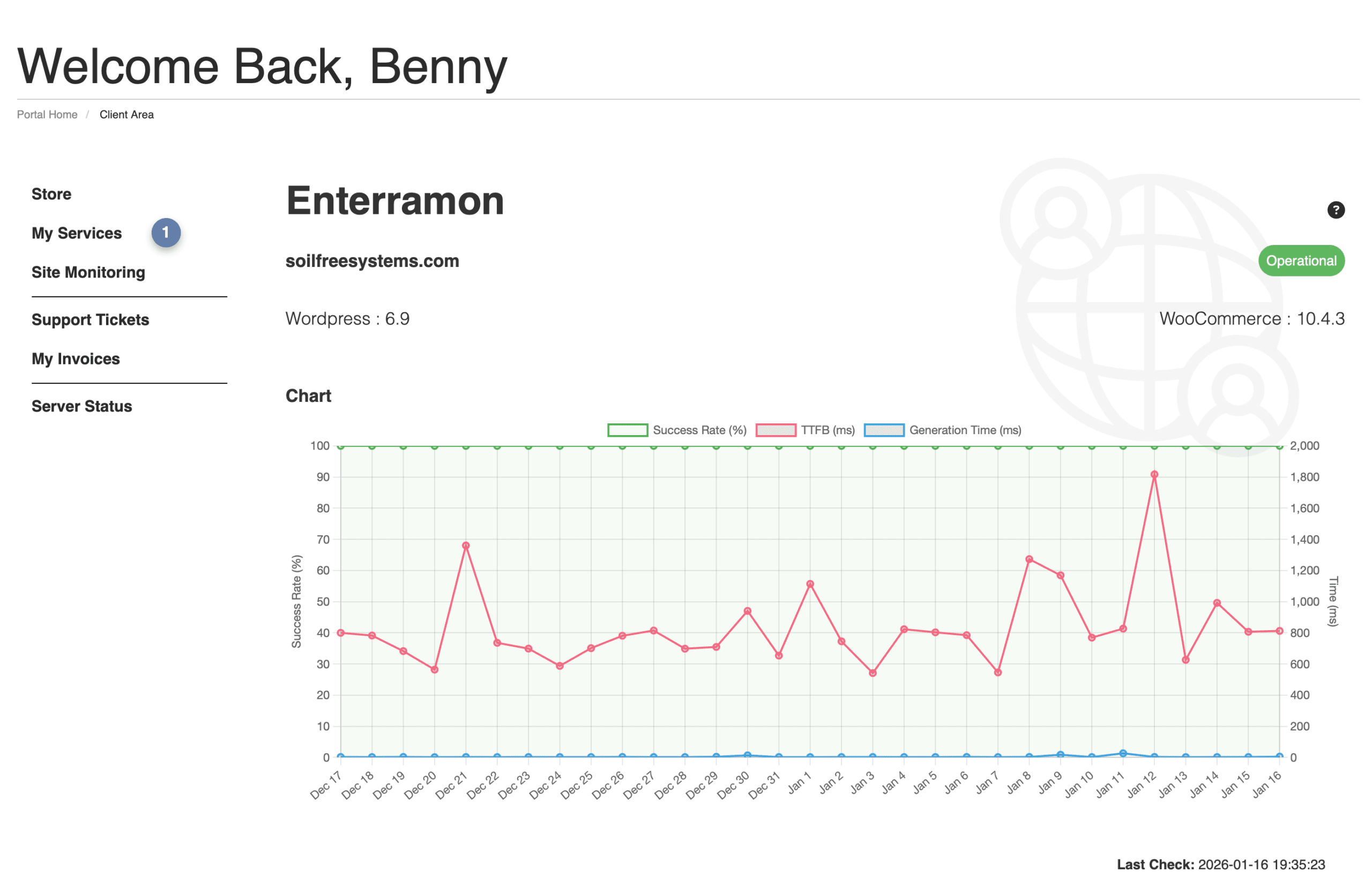
Status Overview
- Operational: Indicates your site is up and responding
- Last Check: Timestamp of the most recent scan (e.g.,
2026-01-16 19:35:23)
Software Versions
Shows installed software and current versions:
- WordPress: e.g.,
6.9 - WooCommerce: Shows version or “not installed”
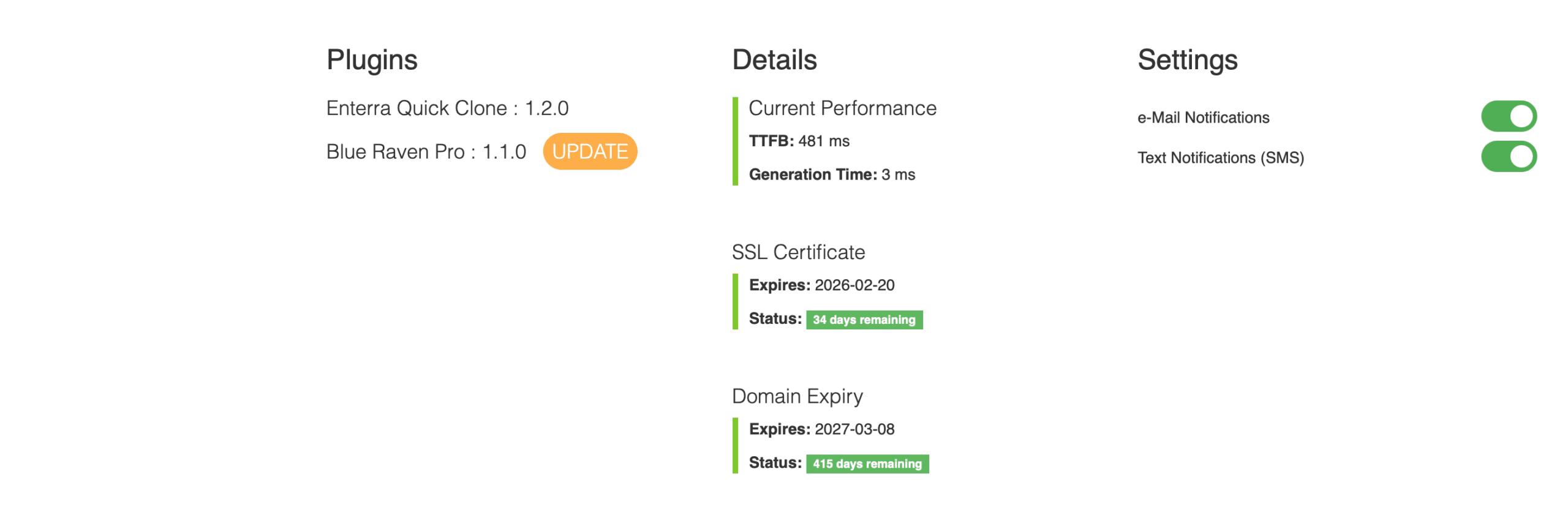
- Plugins: Lists key plugins like Blue Raven Pro and Enterra Quick Clone with their versions
⚠️ Outdated software is a common security risk. Update promptly if versions are old.
Performance Metrics
- TTFB (Time to First Byte): How fast your server responds (ideal: under 600 ms)
- Generation Time: How long WordPress took to build the page (ideal: under 500 ms)
High TTFB may indicate hosting issues, heavy plugins, or traffic spikes.
SSL Certificate
- Expiry Date: e.g.,
2026-02-20 - Status: Days remaining until expiration (e.g.,
34 days remaining)
Letting your SSL expire breaks secure connections and triggers browser warnings.
Domain Expiry
- Expiry Date: e.g.,
2027-03-08 - Status: Days until renewal is needed (e.g.,
414 days remaining)
Missing domain renewal can cause your site to go offline permanently.
Notifications & Alerts
You can enable alerts to stay informed:
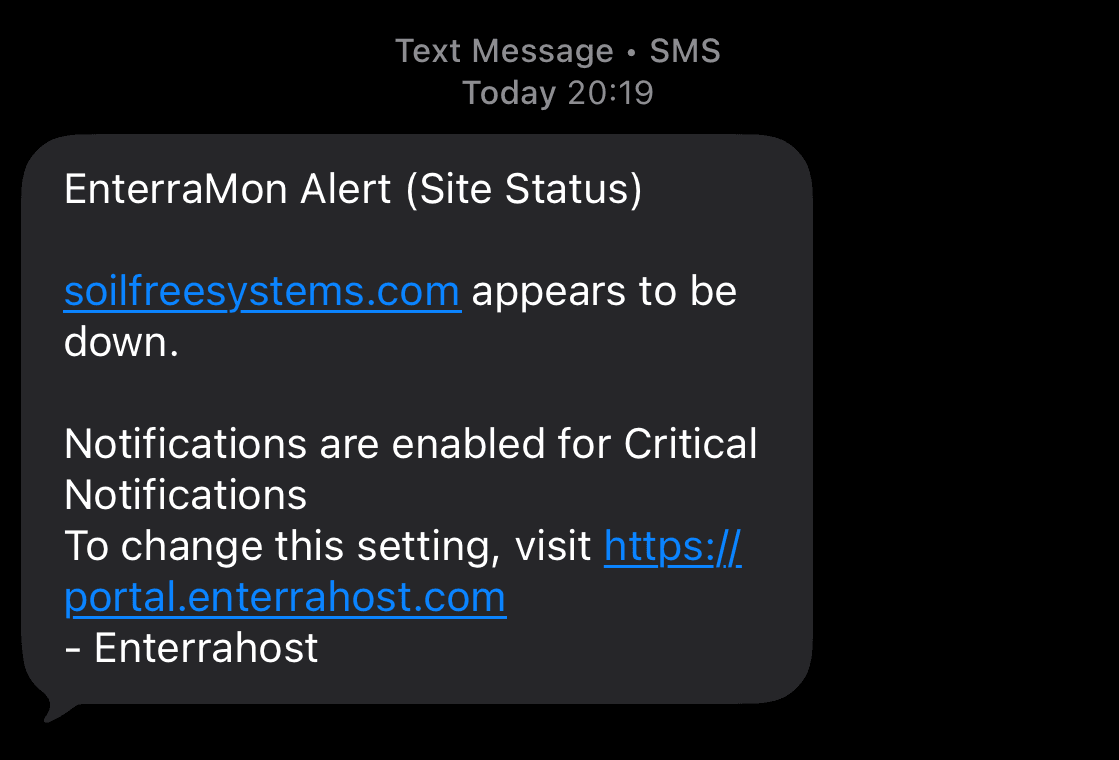
- SMS Alerts: For critical issues like site downtime (urgent)
- 5 included text messages per month per Blue Raven Pro License
- Email Alerts: For non-urgent but important notices like:
- Plugin updates available
- SSL certificate expiring
- Domain renewal coming due
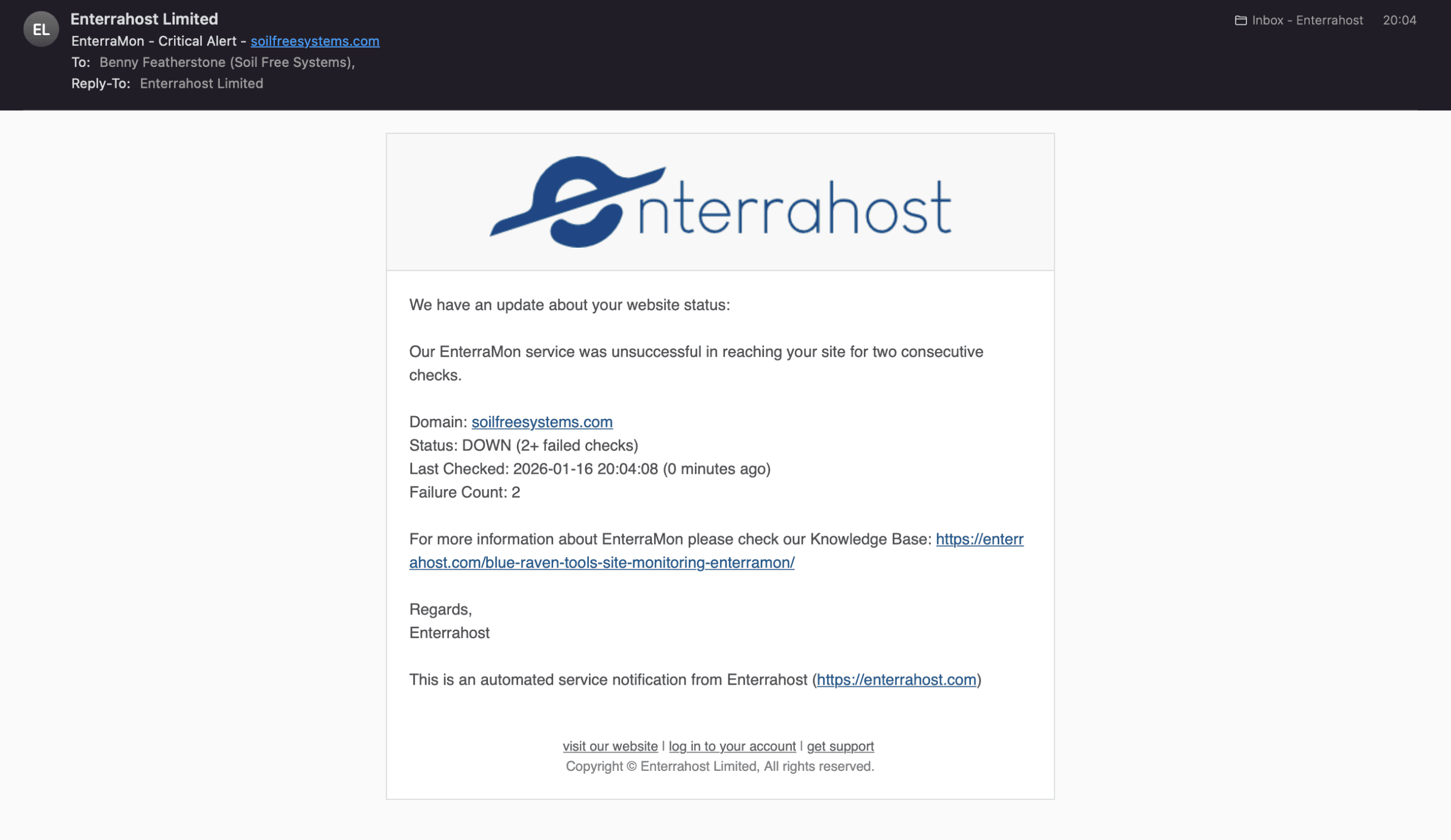
To manage alerts:
- In the Site Monitoring Screen in the portal, Select your domain, then go to Setting, and you will see the Email and SMS toggles
- Toggle SMS and email options on or off
- Ensure your contact info is up to date. We use your Enterrahost Portal profiles phone number and email address.
🔔 We recommend enabling both SMS for outages, email for maintenance reminders.
Best Practices
- Check Site Monitoring weekly don’t wait for an alert
- Update plugins immediately when new versions appear
- Renew SSL and domain at least 30 days before expiry
- If TTFB is consistently high, consider upgrading hosting or optimizing plugins
Troubleshooting
- “Site not listed?”
Ensure your domain is connected to your Blue Raven Pro license. Only licensed domains appear in Enterramon. - “False downtime alert?”
Temporary network blips can trigger brief outages. Check the Last Check time and reload the page. - “Can’t log in to Enterrahost?”
Reset your password if needed via the Portal - “Can I block the enterramon-bot?”
Yes you can, it can be done in the robots.txt file, for more information see What is enterramon-bot
Planned Roadmap Features
We’re actively expanding Site Monitoring to become a full site operations hub:
- Buy or renew domains and SSL certificates directly from the Enterrahost portal at discounted prices
- Weekly and monthly performance reports delivered by email, showing trends in uptime, speed, and update status across all your sites.
- Custom Notification Email and Text Message numbers
- Location Selection So that as we expand you can select the location of your website so that we can monitor from a closer location.
Please consider requesting other feature via the link further below.
Need Help?
Have feedback? Submit a feature request
Access monitoring at Blue Raven > Tools > Site Monitoring (Pro only)
Manage alerts and domains at https://portal.enterrahost.com