Protect your MyBB Forum with Cloudflare Turnstile
This plugin replaces traditional CAPTCHAs with Cloudflare Turnstile, a privacy-friendly solution that validates human visitors without intrusive puzzles or checkbox challenges. Unlike legacy systems (like reCAPTCHA), Turnstile uses non-intrusive browser validation and adaptive risk scoring to distinguish humans from bots reducing friction for legitimate users while maintaining robust security, and of course Turnstile is FREE
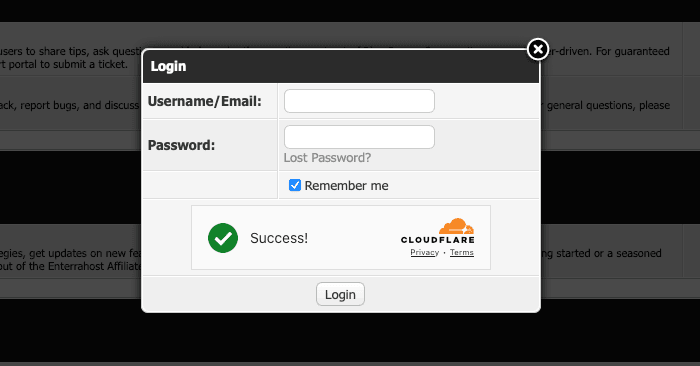
- Enhanced User Experience:
- No more “click the traffic lights” or distorted text challenges.
- Most users pass verification automatically (especially with “Managed” or “Invisible” modes).
- Superior Bot Protection:
- Leverages Cloudflare’s global threat intelligence to block sophisticated bots.
- Adapts to emerging threats in real time without requiring updates.
- Privacy-Focused:
- No data collection from users (GDPR/compliance-friendly).
- No tracking or behavioral analysis (unlike some alternatives).
- Built-in Analytics:
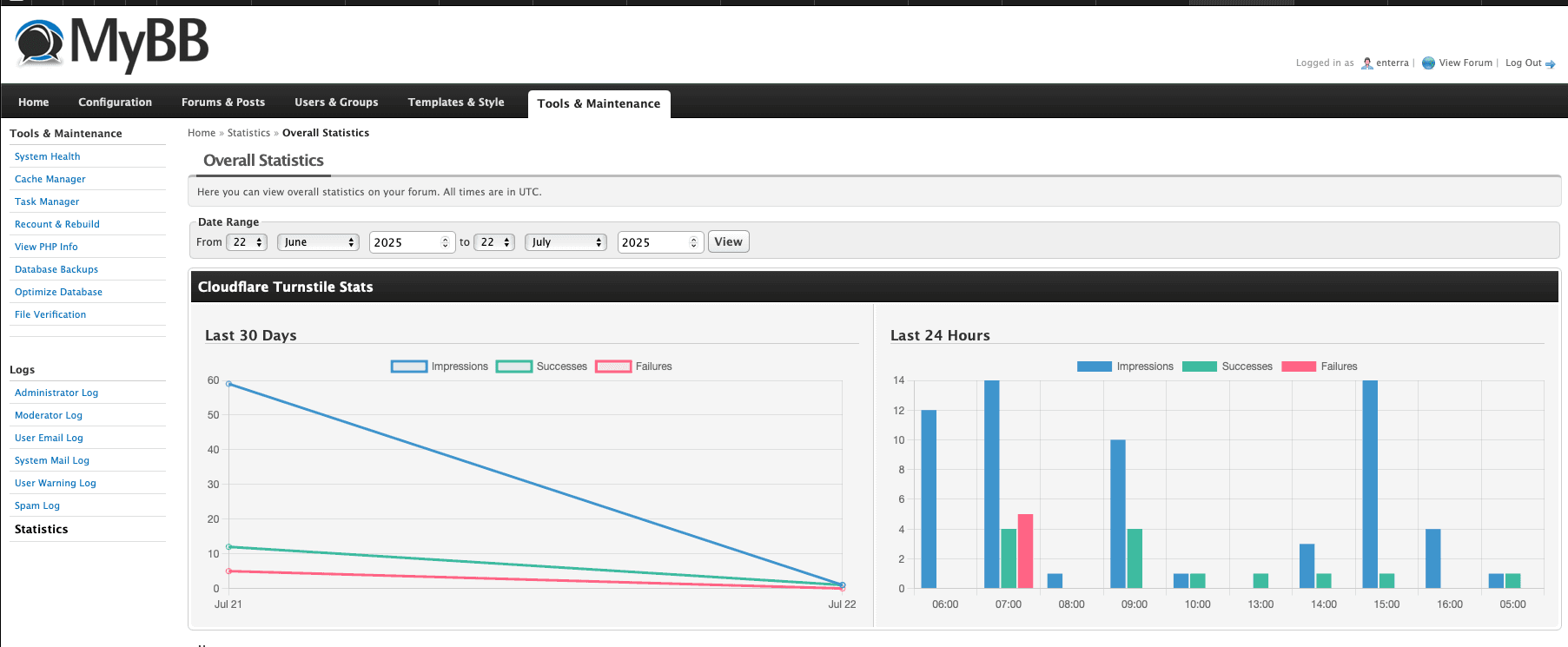
- Track CAPTCHA performance (impressions, failures) directly in your MyBB Admin CP.
Why Choose Turnstile?
Ideal for forums prioritizing both security and usability, Turnstile eliminates the trade-off between keeping bots out and letting users in.
Plugin Availability
This plugin is officially available through the MyBB Extend Portal. You can download it directly from there or from the Enterrahost website.
Prerequisites
- MyBB 1.8.x installed
- PHP with cURL support enabled
- Cloudflare account (free tier sufficient)
Obtaining Cloudflare Turnstile Keys
Step 1: Access Turnstile Dashboard
- Log in to your Cloudflare account
- Navigate to Turnstile under the Websites section
- Click “Add Site”
Step 2: Configure Your Site
- Site name: Your forum name (e.g., “MyBB Forum”)
- Domain: Your forum’s domain (e.g., forum.example.com)
- Widget Type: Select one of three options:
- Managed (Recommended for most users)
- Non-interactive (No user interaction required)
- Invisible (Completely hidden challenge)
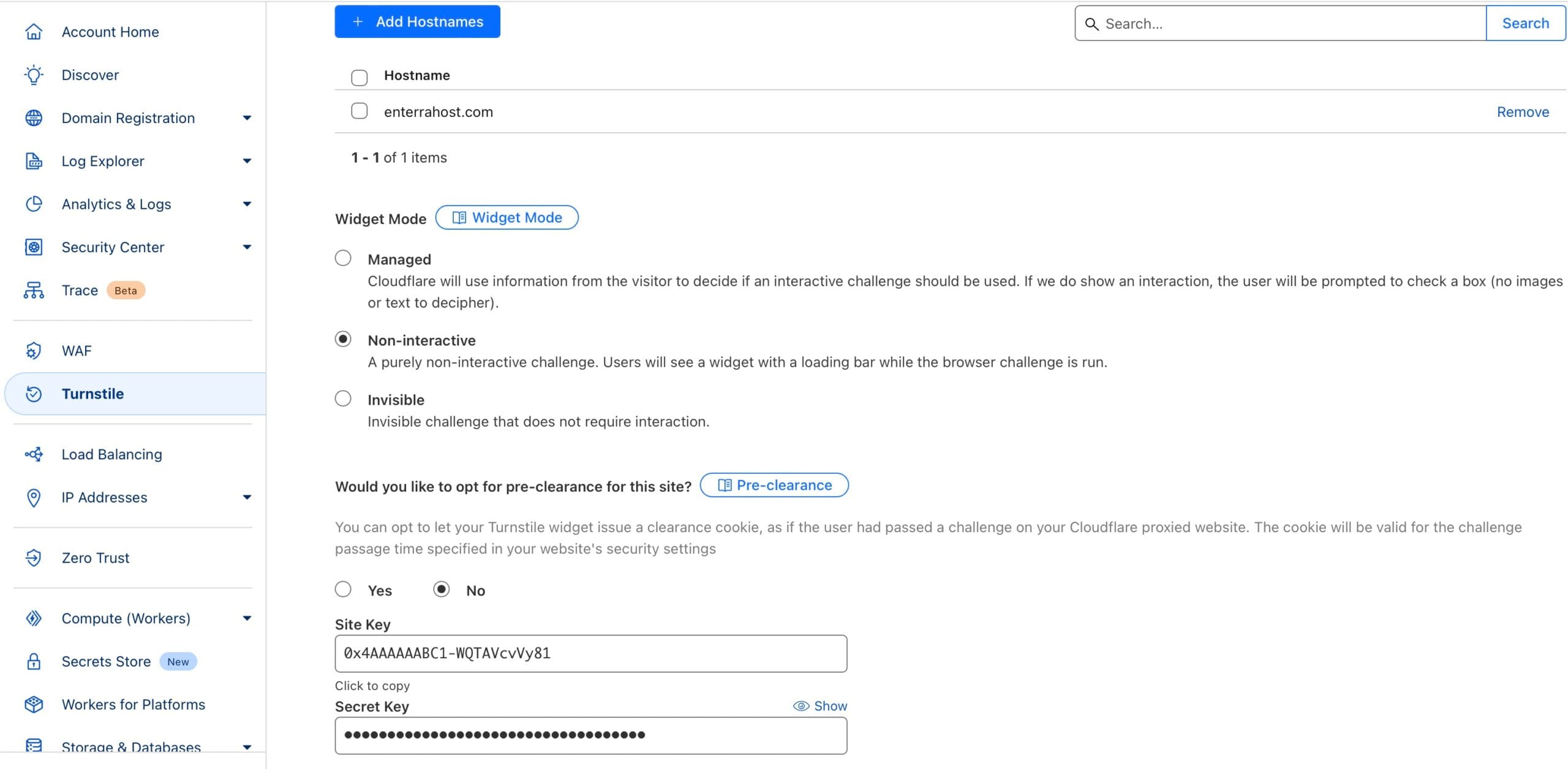
Step 3: Get Your Keys
After setup, you’ll receive:
- Site Key (Public)
- Secret Key (Private)
Keep these keys secure – you’ll need them for plugin configuration.
Plugin Installation
Method 1: Via MyBB Extend
- Go to Admin CP > Plugins
- Click “Browse Plugins”
- Search for “Cloudflare Turnstile”
- Click “Install”
Method 2: Manual Installation
- Download the plugin ZIP file
- Upload contents to
/inc/plugins/directory - Go to Admin CP > Plugins
- Find “Cloudflare Turnstile” and click “Activate”
Configuration
Basic Settings
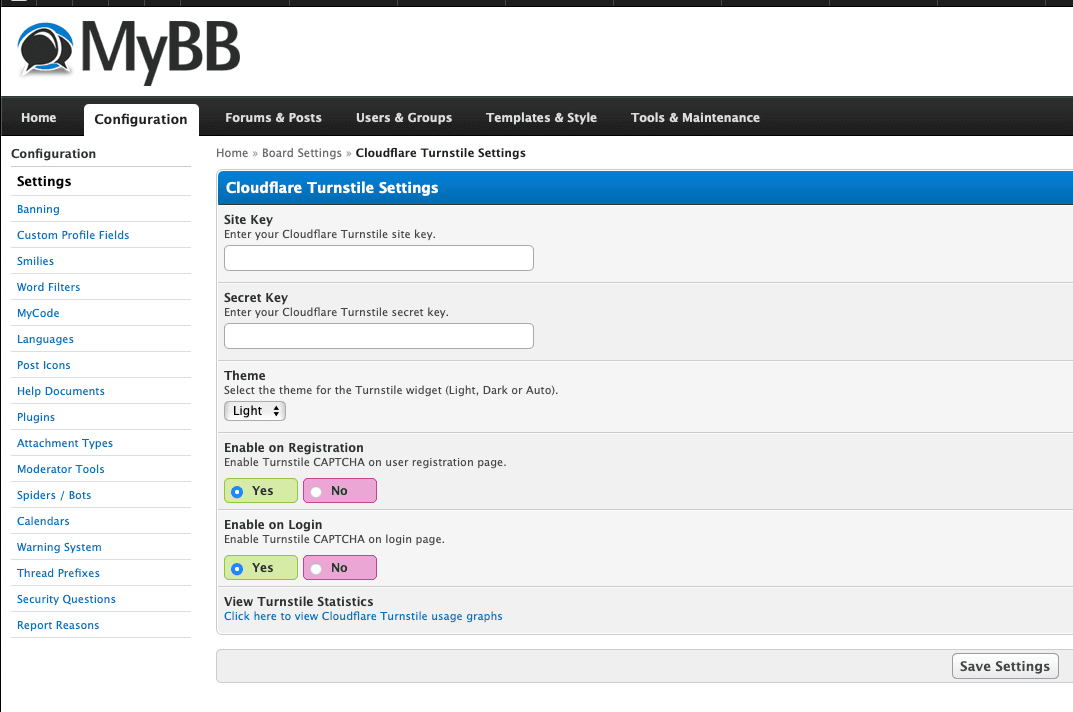
- Navigate to Admin CP > Configuration > Settings > Cloudflare Turnstile
- Enter your Site Key and Secret Key
- Select theme preference:
- Light
- Dark
- Auto (matches user’s system preference)
CAPTCHA Activation
Enable Turnstile for:
- User Registration
- Login Page
- Login Popup
Analytics Dashboard
The plugin provides comprehensive tracking accessible via:
- Admin CP > Tools > Statistics
- Scroll to “Cloudflare Turnstile Stats”
Metrics Tracked:
- Impressions: How often CAPTCHA is displayed
- Successes: Verified interactions
- Failures: Rejected attempts
Data Visualization
- 30-day trend graph
- 24-hour activity breakdown
- Success/failure ratios
Troubleshooting
Common Issues
- CAPTCHA not appearing:
- Verify keys are correct
- Check if enabled for specific actions
- Ensure no template conflicts
- Verification failures:
- Confirm server time is synchronized
- Check for JavaScript errors
- Test with different widget types
Support
For additional assistance:
- Visit Enterrahost Support
- Or Log a Feature Request